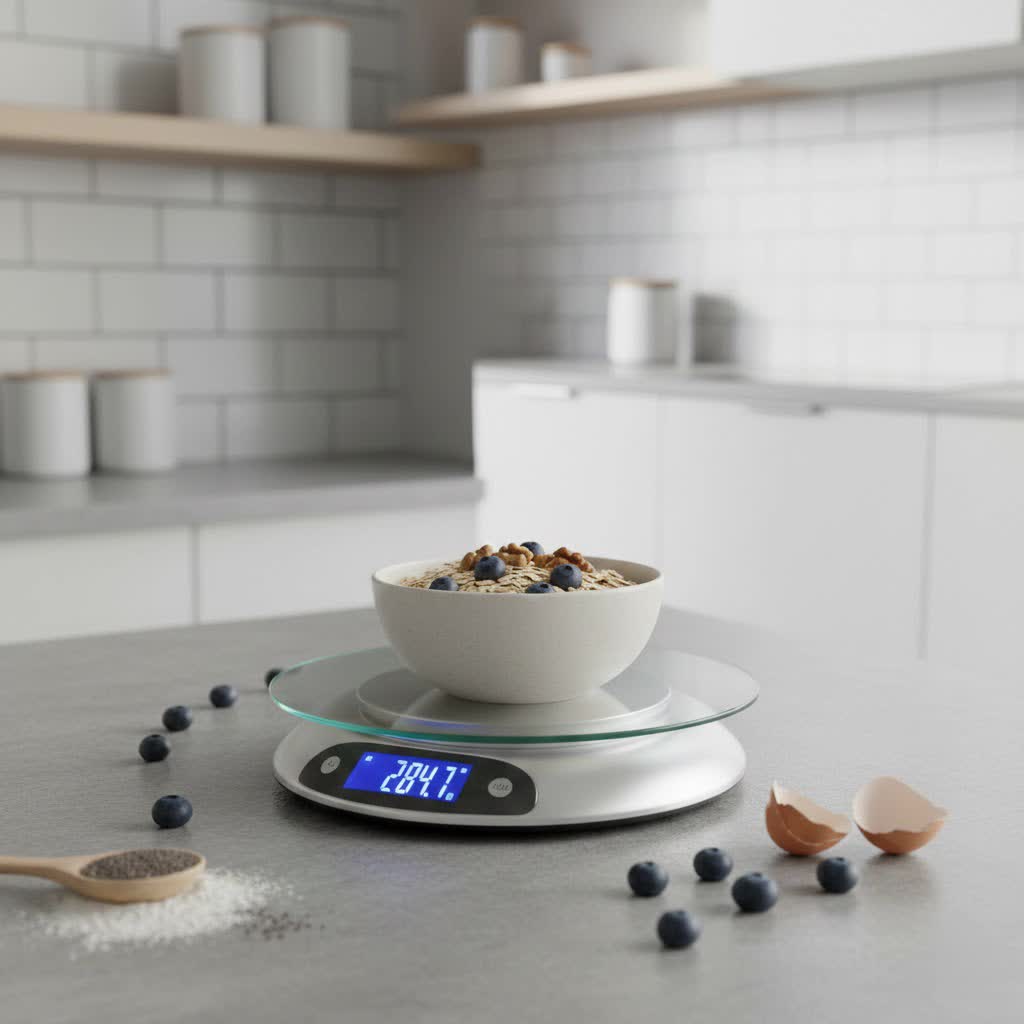
Imagine carefully following a recipe, only for your digital kitchen scale to display wildly fluctuating numbers. Frustrating, isn’t it? In the world of baking and cooking, precision is paramount, and a scale that can’t hold a steady reading can quickly turn a culinary adventure into a disaster. You’re not alone if you’ve faced this issue; drifting numbers are a common problem with digital kitchen scales, but often, the fix is simpler than you think. This guide will walk you through the most common reasons behind inconsistent readings and provide practical, step-by-step solutions to get your scale back to reliable accuracy.
Why Your Digital Kitchen Scale’s Numbers Are Drifting
Inaccurate measurements can throw off the delicate balance of ingredients in a recipe, leading to disappointing results. Whether you’re a seasoned chef or a home cooking enthusiast, a precise kitchen scale is an indispensable tool. When your scale’s numbers start to drift, it signals an underlying issue that needs addressing. These issues typically fall into three main categories: environmental factors, problems with the scale itself, and user-related errors. Understanding the root cause is the first step toward finding the right solution and restoring confidence in your measurements.
Common Causes Behind Drifting Kitchen Scale Readings
Several factors can contribute to your digital kitchen scale displaying inconsistent or “drifting” numbers. Identifying the specific cause is key to effectively troubleshooting the problem.
Environmental Factors That Affect Accuracy
Your scale is more sensitive to its surroundings than you might realize. Even subtle changes can impact its performance.
- Uneven or Unstable Surfaces: Placing your scale on a soft mat, an uneven countertop, or a wobbly table can cause inaccurate readings. The scale needs a perfectly flat and rigid base to distribute weight evenly across its sensors.
- Air Currents and Drafts: Believe it or not, even a gentle breeze from an open window, a fan, or an air conditioning vent can create enough force to subtly affect delicate measurements, leading to drifting numbers.
- Temperature and Humidity Fluctuations: Digital scales are designed to operate within specific environmental conditions. Extreme or sudden changes in temperature and humidity can affect the internal components and sensors, leading to calibration drift.
- Magnetic Interference: Electronic devices such as cell phones, speakers, or even certain types of fluorescent lighting can emit magnetic fields that interfere with your scale’s sensitive electronics, causing erratic readings.
|
Our Picks for the Best Digital kitchen scale in 2026
As an Amazon Associate I earn from qualifying purchases.
|
||
| Num | Product | Action |
|---|---|---|
| 1 | Amazon Basics Digital Kitchen Scale with LCD Display, Tare Function, Multiple Units, Weighs up to 11 Pounds, Batteries Included, Black and Stainless Steel |

|
| 2 | Mik-Nana Food Scale, 22lb Digital Kitchen Scale with 6 Units Tare Function & LCD Display, Stainless Steel Weight Grams and Ounces for Baking, Cooking and Meal Prep (Batteries Included) |
|
| 3 | Food Scale -33lb Digital Kitchen Scale for Food Ounces Grams Rechargeable 304 Stainless Steel,Batteries and Type-C Charging | Perfect for Meal Prep, Cooking, and Baking, Black |
|
| 4 | Etekcity Digital Food Kitchen Scale, Grams and Oz for Weight Loss, Baking and Cooking, 0.05oz/1g Precise Graduation,5 Weight Units, IPX6 Waterproof, USB Rechargeable,304 Stainless Steel-Silver, 22lb |
|
| 5 | Food Scale, 11lb Kitchen Scale with 0.05oz/1g Precision, 6 Units Tare Function & LCD Display, Stainless Steel Digital Scale for Baking, Cooking, Meal Prep - Kitchen Gadgets & Gifts, Home Essentials |
|
| 6 | Nicewell Food Scale, 22lb Digital Kitchen Scale Weight Grams and oz for Cooking Baking, 1g/0.1oz Precise Graduation, Stainless Steel and Tempered Glass |
|
| 7 | Ultrean Food Scale, Digital Kitchen Scale with LCD Display, Weight Grams and Ounces for Baking Cooking and Meal Prep, 6 Units with Tare Function, 304 Stainless Steel, 11lb (Batteries Included) |
|
| 8 | OXO Good Grips 11-Pound Stainless Steel Kitchen Scale with Pull-Out Display - Black |
|
| 9 | Etekcity Food Kitchen Scale, Digital Grams and Ounces for Weight Loss, Baking, Cooking, Keto and Meal Prep, LCD Display, Medium, 304 Stainless Steel |
|
| 10 | Mik-Nana Food Scale, 10kg/22lb Digital Kitchen Scale Weight Grams and Ounces for Baking Cooking Coffee Package Postage, 6 Units with Tare Function, LCD Display, Easy Clean Stainless Steel |
|
Scale-Specific Issues
Sometimes, the problem lies within the device itself, ranging from simple fixes to more complex internal issues.
- Low or Faulty Batteries: This is one of the most common culprits. As batteries drain, they provide insufficient power, leading to unstable readings, flickering displays, or the scale simply failing to turn on.
- Dirt and Debris Affecting Sensors: Over time, flour, sugar, liquids, or other kitchen grime can get lodged under the weighing platform or into the internal mechanisms. This “binding” prevents the load cells from registering weight accurately, causing numbers to jump.
- Calibration Drift: Even well-made scales can gradually lose their calibration over time due to normal wear and tear, temperature changes, or accidental overloading. This means the scale’s internal reference for zero or a known weight has shifted.
- Internal Damage (Load Cell, Shifted Base): Accidental drops, impacts, or consistent overloading can damage the scale’s delicate load cells or cause the internal base to shift, leading to permanent inaccuracies. These issues often require professional repair or replacement.
User-Related Errors
Sometimes, the way we use the scale contributes to the problem, rather than the scale itself being faulty.
- Improper Zeroing or Taring: Failing to properly “tare” (zero out) the scale after placing a container on it, or before each new measurement, will lead to incorrect readings. The scale might carry over a previous weight, causing subsequent measurements to be off.
- Unstable Item Placement: Items that are not placed centrally and stably on the weighing platform can cause uneven pressure distribution, leading to fluctuating or inaccurate readings. Shifting items can also create momentary inconsistencies.
Step-by-Step Troubleshooting: Fixing Your Drifting Kitchen Scale
Now that you understand the potential causes, let’s dive into practical steps you can take to troubleshoot and fix your drifting kitchen scale. Start with the simplest solutions and work your way through.
1. Check and Replace Batteries
Always begin with the basics. Low batteries are a frequent cause of erratic behavior in digital scales.
- Action: Open the battery compartment, usually on the underside of the scale. Remove the old batteries and insert a fresh set, ensuring they are correctly oriented.
- Insight: “A simple battery swap can resolve a multitude of digital scale woes, from flickering displays to wildly inconsistent numbers,” notes an expert on kitchen appliance maintenance. This often provides the necessary stable power for accurate operation.
2. Ensure a Stable and Level Surface
The surface beneath your scale plays a critical role in its accuracy.
- Action: Move your kitchen scale to a firm, flat, and stable surface. Countertops made of granite, marble, or solid wood are ideal. Avoid soft surfaces like tablecloths, mats, or uneven wooden tables. Ensure there’s no wobbling.
- Tip: If your kitchen surface isn’t perfectly level, you can sometimes use small shims under the scale’s feet to stabilize it. Some scales come with adjustable feet for this purpose.
3. Clean Your Scale Thoroughly
Accumulated debris can severely hinder your scale’s performance.
- Action: Gently wipe down the weighing platform and the entire exterior of your scale with a slightly damp (not wet) cloth. Pay close attention to the crevices around the platform. If your scale has a removable weighing pan, take it off and clean underneath it. Be careful not to let water seep into internal components.
- Caution: For more sensitive internal cleaning (if you suspect debris is causing “binding” and you’re comfortable disassembling), refer to your manufacturer’s manual. Otherwise, external cleaning is usually sufficient.
4. Calibrate Your Digital Kitchen Scale
Calibration ensures your scale is measuring correctly against a known standard.
- Action: Consult your scale’s user manual for specific calibration instructions. Most digital scales have a calibration mode that requires a precise, known weight (often referred to as a “calibration weight”). If you don’t have one, you might be able to use a commonly available item with a verified weight (like a new, uncirculated coin if your scale measures in small increments, though a proper calibration weight is always best).
- Note: Many lower-cost kitchen scales are pre-calibrated and may not offer a user-accessible calibration function. If your manual doesn’t mention it, proceed to other troubleshooting steps.
5. Eliminate Environmental Disturbances
Reduce any external factors that could be interfering with your scale.
- Action: Close windows and turn off fans or air conditioning vents in the immediate vicinity of your scale. Move any electronic devices (like phones, tablets, or even microwave ovens) away from the scale during use.
- Advice: If drafts are a persistent issue, consider using a simple draft shield or even a large bowl turned upside down over your scale while weighing, ensuring it doesn’t touch the platform.
6. Allow for Warm-Up Time
Like many electronic devices, scales can benefit from a brief warm-up period.
- Action: Turn on your scale and let it sit for 30 seconds to a minute before placing any items on it or taring it. This allows the internal components to stabilize to the ambient temperature.
- Benefit: This simple step can sometimes prevent “zero drift” where the empty scale’s reading slowly creeps up or down.
7. Perform a Hard Reset
A hard reset can sometimes clear internal glitches or memory issues.
- Action: Remove the batteries from your scale and leave them out for at least 5-10 minutes. This allows any residual power to fully dissipate and resets the internal electronics. Reinsert the batteries and test the scale.
- Reminder: Always check your user manual for any specific reset procedures recommended by the manufacturer.
8. Use Your Scale Correctly
Consistent and careful usage is essential for accurate readings.
- Action: Always place items gently and centrally on the weighing platform. Avoid dropping items or sliding them around. Ensure your container is stable before taring, and re-tare if you add more ingredients to the same container.
- Best Practice: When weighing liquids or ingredients in a bowl, ensure the bowl doesn’t touch the surrounding countertop, which could interfere with the reading.
When to Consider a New Digital Kitchen Scale
Despite your best efforts, some problems might indicate that your scale has reached the end of its useful life.
- Persistent Inaccuracies: If, after trying all troubleshooting steps, your scale still gives wildly inconsistent readings, or fails to calibrate properly, it might have internal damage that is beyond simple repair.
- Visible Damage: Dents, cracks, or a visibly bent weighing platform often point to irreparable damage to the load cells, which are critical for accurate measurement.
- Age and Wear: Like any appliance, kitchen scales wear out. Components can degrade over time, leading to reduced accuracy and reliability.
- Cost of Repair vs. Replacement: For most consumer-grade kitchen scales, the cost of professional repair often outweighs the cost of purchasing a new, high-quality replacement.
If you find yourself frequently battling drifting numbers and none of these fixes work, it might be time to invest in a new scale. A reliable kitchen scale is a cornerstone of precise cooking and baking, ultimately saving you time and frustration in the long run.
Conclusion
A digital kitchen scale with drifting numbers can be a real headache, undermining your efforts in the kitchen. Fortunately, many of these issues can be resolved with a bit of troubleshooting. By systematically checking your batteries, ensuring a stable environment, keeping your scale clean, and calibrating it regularly, you can often restore its accuracy. Remember, a precise scale is an invaluable companion for any culinary endeavor, transforming potential frustrations into successful and delicious creations. Don’t let inconsistent readings deter you—take control of your measurements and cook with confidence!
What’s the most surprising thing you’ve discovered affects your kitchen scale’s accuracy?
Frequently Asked Questions
How often should I calibrate my kitchen scale?
For most home users, calibrating your kitchen scale every 6 to 12 months, or whenever you notice inconsistent readings, is sufficient. If you use your scale frequently or for highly precise tasks, you might consider calibrating it more often. Always refer to your scale’s specific instruction manual for manufacturer recommendations.
Can a kitchen scale be affected by humidity?
Yes, changes in humidity can affect the accuracy of some digital kitchen scales. High humidity can sometimes interfere with the scale’s internal electronics or cause condensation, leading to inconsistent readings. Storing your scale in a dry environment and allowing it to acclimatize to room conditions before use can help.
What does “tare” mean on a kitchen scale?
The “tare” function on a kitchen scale allows you to reset the scale to zero after placing a container on it. This means the scale will ignore the weight of the container and only measure the ingredients you add, ensuring accurate measurements for each component of your recipe. It’s an essential function for measuring multiple ingredients in one bowl.
Is it normal for digital scales to fluctuate slightly?
Minor fluctuations of one or two units (e.g., a gram or two) can be normal for highly sensitive digital scales, especially if there are subtle air currents or vibrations. However, if the numbers are drifting significantly or continuously changing by a larger margin, it indicates an issue that needs troubleshooting.
How do I know if my kitchen scale is broken beyond repair?
If your scale exhibits severe internal damage after a fall, fails to turn on even with new batteries, cannot be calibrated, or consistently provides wildly inaccurate and unreproducible readings after all troubleshooting steps, it’s likely broken beyond economical repair. At this point, investing in a new scale is usually the best option.